-
WordPress Resources
Basic User Level Resources
Good Free Themes
Zerif LiteZerif LITE is a free one page WordPress theme. It’s perfect for web agency business,corporate business,personal and parallax business portfolio, photography sites and freelancer.Is built on BootStrap with parallax support, is responsive, clean, modern, flat and minimal. Zerif Lite is ecommerce (WooCommerce) Compatible, WPML, RTL, Retina-Ready, SEO Friendly and with parallax, full screen image is one of the best business themes.

Demo Link : http://themeisle.com/demo/?theme=Zerif%20Lite
SydneySydney is a powerful business theme that provides a fast way for companies or freelancers to create an awesome online presence. Sydney brings plenty of customization possibilities like access to all Google Fonts, full color control, layout control, logo upload, full screen slider, header image, sticky navigation and much more. Also, Sydney provides all the construction blocks you need to rapidly create an engaging front page.

Download Link : https://wordpress.org/themes/sydney/
Demo Link : http://demo.athemes.com/themes/?theme=Sydney
Moesia
Moesia is the business theme you need in order to build your presence on the Internet. Choose from eleven predefined blocks and build the homepage that best suits your company. Each of the homepage blocks can have a parallax background image and its own set of colors. Moesia also features a selection of Google Fonts, two types of layouts for the blog page, cool animations and effects, a parallax header and much more.
Demo Link : http://demo.athemes.com/moesia/
EvolveEvolve is proudly one of the best free WordPress themes. It’s built on a solid framework with focus on details and usability which move this theme to the next level, we are not afraid to say to PREMIUM one. Standard of this theme is not only settings of many theme options but its flexibility which let you build any website of your needs – if it’s just a blog, e-shop, magazine or any business page. Prebuilt demo layouts with DRAG & DROP builder will let you create new beautiful websites within few minutes! New way of website building has a name – evolve

Download link : https://wordpress.org/themes/evolve/
Demo link : http://demo.theme4press.com/?theme=evolve
SpaciousSpacious is an incredibly spacious multipurpose responsive theme coded & designed with a lot of care and love. You can use it for your business, portfolio, blogging or any type of site. It has 4 page layouts, 2 page templates, 4 blog display types, 13 widgets areas, 5 custom widgets focusing on business template, awesome slider, primary color option to match your logo & website, boxed & wide layout, light & dark color skin, translation ready and many more. You can get free support in https://themegrill.com/support-forum/
Download Link :https://wordpress.org/themes/spacious/
Demo Link : http://demo.themegrill.com/spacious/
VantageVantage is a flexible multipurpose theme. Its strength lies in its tight integration with some powerful plugins like Page Builder for responsive page layouts, Meta Slider for big beautiful sliders and WooCommerce to help you sell online. Vantage is fully responsive and retina ready. Use it to start a business site, portfolio or online store.

Download Link : http://demo.athemes.com/themes/?theme=Sydney
Demo Link : https://siteorigin.com/theme/vantage/?action=demo#vantage
AstridAstrid can help you to quickly create an awesome business website. All the features you need are waiting for you in this business theme: color options, fonts, full width header image, custom widgets, blog options and many other interesting and useful options.
Dowload Link : https://wordpress.org/themes/astrid/
Demo link : http://demo.athemes.com/themes/?theme=Astrid
Misc
How to start bloggingToday, blogging is no longer only a hobby confined to a college dorm room. It can be used to publish all manner of content, from personal journals to corporate business magazines. This boom of online content creation has created new business models and job opportunities. Existing businesses use blogging to drive content marketing campaigns, while others use create business models with blogs at the center.
Read More : https://leavingworkbehind.com/start-blog/
WordPress Meetup GroupsMeetup groups are locally-organized groups that get together for face-to-face events on a regular basis (commonly once a month).
Anything that brings together 2 or more people to share their WordPress experiences counts — there’s no minimum number of attendees or required format.
These events (commonly referred to as meetups, which can be confusing since people often use the same word to describe the group itself) take many formats:
- presentations/lecture series,
- hackathons,
- social gatherings,
- workshops,
- co-working,
- running a WordPress help desk,
- contributor sprints/drives, and others.
WordPress Meetups : https://www.meetup.com/topics/wordpress/
Pune WP Meetup Group : https://www.meetup.com/Pune-WordPress-Knowledge-Exchange/
Mumbai WP Meetup : https://www.meetup.com/WordPressMumbai/
Developer Resources
Links
Coding StandardsWhy have coding standards?
Coding standards help avoid common coding errors, improve the readability of code, and simplify modification. They ensure that files within the project appear as if they were created by a single person.
Following the standards means anyone will be able to understand a section of code and modify it, if needed, without regard to when it was written or by whom.
If you are planning to contribute to WordPress core, you need to familiarize yourself with these standards, as any code you submit will need to comply with them.
Setup of local development server
The four popular local servers are (not in any particular order):
- MAMP (Mac & Windows)
- WampServer (Windows)
- XAMPP (Windows, Mac, Linux)
- Varying Vagrant Vagrants (VVV – WordPress specific Vagrant configuration for Windows, Mac, Linux)
Your choice of a local server program will primarily depend on which operating system you run on your computer. There are a couple that work on multiple operating systems, and all will give you a solid local development environment.
Editor/IDEAn integrated development environment (IDE) is a software application that provides comprehensive facilities to computer programmers for software development. An IDE normally consists of a source code editor, build automation tools and a debugger.
Options available are Sublime 2/3, Netbeans, PHP Storm, Ellipse, ATOM..
I currently use Sublime and would recommend the following packages
- Theme Soda 3
- HTML-CSS-JS-prettify
- Phpcs
- Terminal
- SFTP
Setup of Netbeans for WordPress : http://wiki.netbeans.org/ConfiguringNetBeansProjectForWordPress
WP CLIThe idea behind WP-CLI is that it allows you to interact with, and manage, WordPress sites via a command line interface. According to the official documentation, it’s a command line alternative to using the traditional WordPress admin user interface.
The command line approach makes sense as you can typically do things on a computer much quicker via the command line, and the WP-CLI is no different. If you’ve ever used the command line on Windows, or the Terminal on macOS, then you’ll be right at home using the WP-CLI.
WP-CLI provides a command-line interface for many actions you might perform in the WordPress admin. For instance,
wp plugin install --activate(doc) lets you install and activate a WordPress plugin:$ wp plugin install user-switching –activate
Installing User Switching (1.0.9)
Downloading install package from https://downloads.wordpress.org/plugin/user-switching.1.0.9.zip…
Unpacking the package…
Installing the plugin…
Plugin installed successfully.
Activating ‘user-switching’…
Plugin ‘user-switching’ activated.
Success: Installed 1 of 1 plugins.
Beginners Guide To WordPress Dev WorkflowAre you new to WordPress and unsure how to migrate a site manually? Do you want to start working locally but have no idea what tool to use and what needs to go where?
This session will talk about migration, local environments and how to connect everything together to find your perfect developer workflow.
Topics Covered:
-Migration
-Local Environments
-Version Control
-WP-CLI (WordPress Command Line Interface)
-Plugins that make your life easierTop Migration Plugins8 Best WordPress Migration Plugins To Safely Move Your Site
https://www.wpsuperstars.net/top-wordpress-migration-plugins/I use Migrate DB, as it simple and best for my need.
WordPress Developer DocumentationWant to know what’s going on inside WordPress? How WordPress themes, core, plugin has been setup head towards the WordPress.org developer documentation
Home
-
Under the hood of iSheeba.com

When I first started building my site, I often wondered if I was choosing the right technology. I would frequently check other site setups using BuiltWith, which helped me discover and adapt to better solutions.
I’m sharing my current website setup in the hopes that it might guide others in selecting the best solutions for their needs.
Technology Profile
Content Mangement System (CMS) : WordPressWordPress is a state-of-the-art semantic personal publishing platform with a focus on aesthetics, web standards, and usability. It is a free and open-source content management system based on PHP and MySQL. To function, WordPress has to be installed on a web server, which would either be part of an Internet hosting service or a network host in its own right
Hosting : Digital OceanI’ve dabbled with a few different shared/VPS hosts over the past few years and I must say that none of those other hosts have been as quick or easy as DigitalOcean. In less than 5 minutes, I had a complete server ready to play with, and as far as I’m concerned, I won’t be switching hosts for a long time.
Email, Calendar, : GSuiteWeb-based email, calendar, and documents for teams. Renamed to Google Apps for Work, but now known as G Suite From Google Cloud.
Command Interface : WP CliTheme : CustomizrThe Customizr WordPress theme is a free web template that you can use with WordPress to easily create any type of website : business sites, blogs, portfolios, landing pages, forums, shops, etc. With a set of live preview options, Customizr does not require advanced technical skills to design and add content to your website. Powers more than 100K active sites around the world. https://demo.presscustomizr.com/
Plugins
Better Security(Formerly known as Ithemes Security)iThemes Security is the #1 WordPress Security Plugin
iThemes Security (formerly Better WP Security) gives you over 30+ ways to secure and protect your WordPress site. On average, 30,000 new websites are hacked each day. WordPress sites can be an easy target for attacks because of plugin vulnerabilities, weak passwords and obsolete software. Most WordPress admins don’t know they’re vulnerable, but iThemes Security works to lock down WordPress, fix common holes, stop automated attacks and strengthen user credentials. With advanced features for experienced users, our WordPress security plugin can help harden WordPress.
YoastYoast SEO: the #1 WordPress SEO plugin
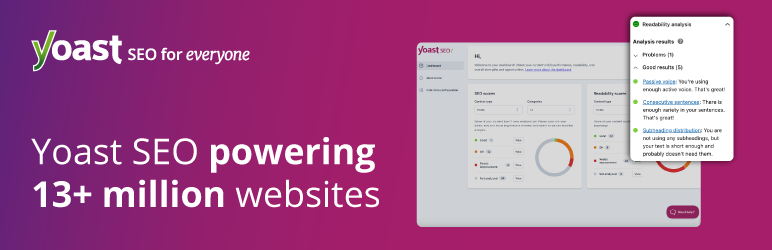
Need an SEO plugin that helps you reach for the stars? Yoast SEO is the original WordPress SEO plugin since 2008. It is the favorite tool of millions of users, ranging from the bakery around the corner to some of the most popular sites on the planet. With Yoast SEO, you get a solid toolset that helps you aim for that number one spot in the search results. Yoast: SEO for everyone.
Yoast SEO does everything in its power to please both visitors and search engine spiders. How? Below you’ll find a small sampling of the powers of Yoast SEO:
Google Analytics Dashboard for WPGoogle Analytics Dashboard for WordPress
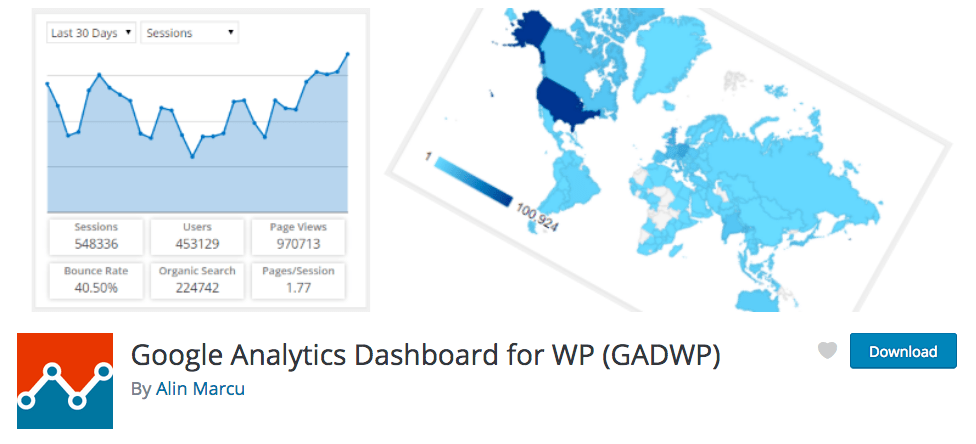
Google Analytics Dashboard for WP (GADWP) is a free, featured plugin that brings Google Analytics reports into your WordPress site.
This plugin uses a set of comprehensible reports to make your Google Analytics data easier to understand. A powerful widget with custom reports provides key analytics insights in your Administration Dashboard, while in-depth Page reports / Post reports allow further segmentation of your analytics data, providing performance details about your posts and pages.
The tracking component of this plugin will automatically install Google Analytics on your website by inserting the required tracking code in all your webpages.
AkismetDevelopment
IDE : Visual Studio CpdeStylesheet language : Syntactically awesome style sheets (SASS)Sass is an extension of CSS3 which adds nested rules, variables, mixins, selector inheritance, and more. Sass generates well formatted CSS and makes your stylesheets easier to organize and maintain.
Task Runner : GRUNTWhy use a task runner?
In one word: automation. The less work you have to do when performing repetitive tasks like minification, compilation, unit testing, linting, etc, the easier your job becomes. After you’ve configured it through a Gruntfile, a task runner can do most of that mundane work for you—and your team—with basically zero effort.Version Control : GITGit is a free and open source distributed version control system designed to handle everything from small to very large projects with speed and efficiency. Git is easy to learn and has a tiny footprint with lightning fast performance. It outclasses SCM tools like Subversion, CVS, Perforce, and ClearCase with features like cheap
-
Why do you need a Staging Environment ?

According to Wikipedia Staging environment means : an environment or tier is a computer system in which a computer program or software component is deployed and executed. In simple cases, such as developing and immediately executing a program on the same machine, there may be a single environment, This structured release management process allows phased deployment (roll-out), testing, and rollback in case of problems.
Chris Lema explains this much better in simple terms : A staging environment is an environment that duplicates the production environment (same hardware, same software, same settings) so that any evaluation of code can be tested before being placed into production.

Pros:
- Testing causes less bugs to hit production
- Mitigates risk of breaking sites on upgrades (core, themes, plugins)
- Avoiding the issues and/or downtime that might otherwise result due to lack of testing environment..
Cons:
- It takes longer to update your website (as you need to test changes first).
- Staging sites may not be fully in sync with the live website.
Conclusion
All code changes should happen via version control (e.g. GIT) for easy revisions, testing, and deployments. You should always setup a staging/development site so you can make changes and updates without compromising your site’s integrity.Image Credit
Creative Commons 3 – CC BY-SA 3.0